What Bitrate Is YouTube Audio? Opus, AAC, and Why Your MP3 Sounds Worse Than the Video
YouTube stores audio as Opus or AAC — not MP3. Learn why 320 kbps doesn't help, what generation loss means, and which bitrate to use when converting YouTube to MP3.
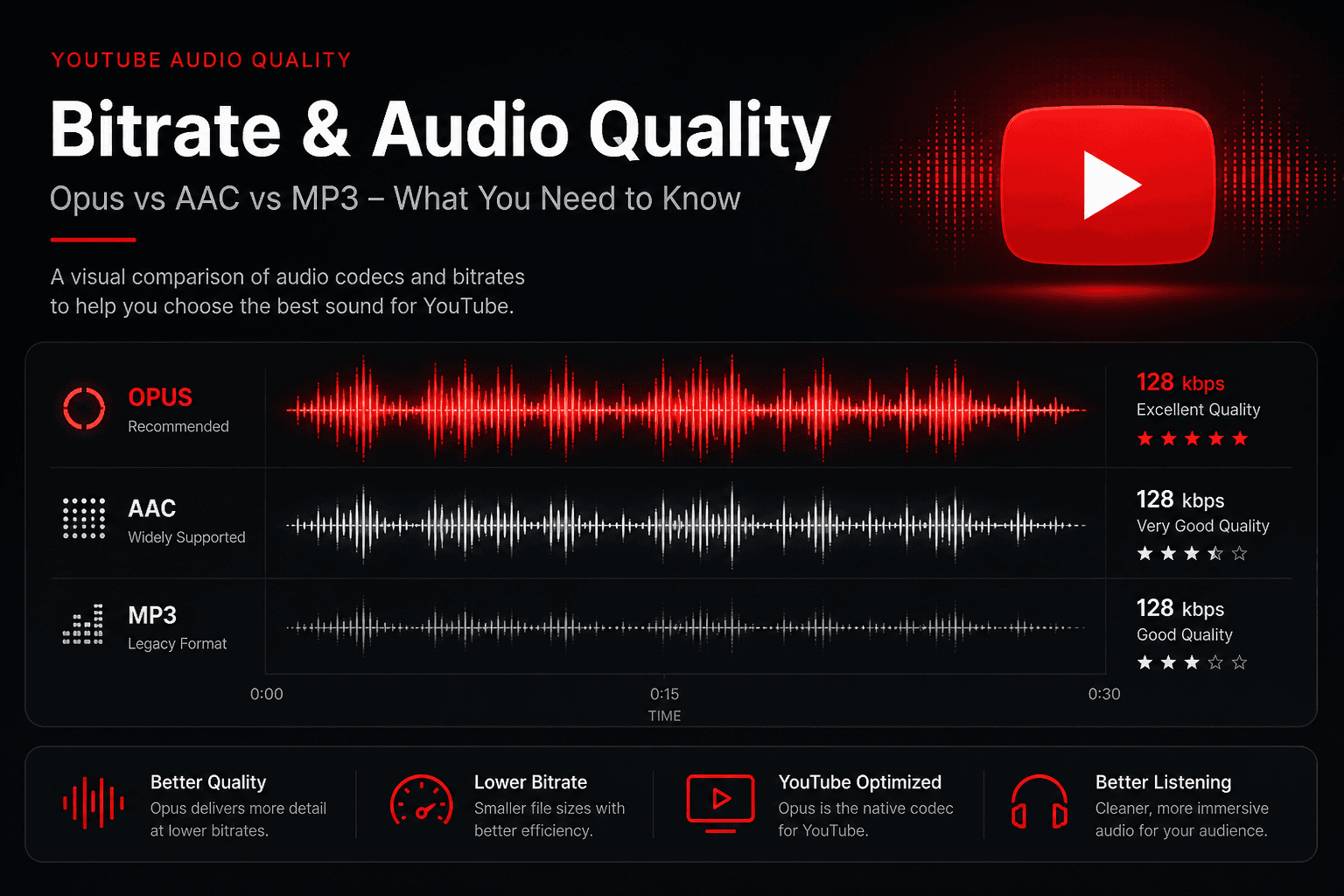
A common complaint: you extract audio from a YouTube video, and the MP3 sounds flatter than what you heard on the site. You picked 320 kbps, so the settings can't be the problem.
They aren't. The explanation is in what YouTube actually stores, and it's worth understanding before you spend storage on high bitrates that can't help.
YouTube doesn't store MP3
YouTube serves audio in two codecs, neither of which is MP3:
- Opus, inside WebM containers
- AAC, inside M4A containers
Typical bitrates run from around 48 kbps at the low end up to roughly 160 kbps, with the exact stream depending on the video, the upload, and what your player negotiates.
Both are modern codecs and both outperform MP3 at equivalent bitrates. Opus in particular is considerably more efficient — Opus at 128 kbps is generally accepted as sounding better than MP3 at the same figure, and it holds up well even at low bitrates where MP3 falls apart.
MP3 is a format from the early 1990s. It survives because everything on earth can play it, not because it's good.
Generation loss is the actual problem
When you convert YouTube audio to MP3, the process is:
- YouTube's stored audio is decoded from Opus or AAC
- That decoded audio is re-encoded as MP3
Both codecs are lossy. Lossy compression works by discarding information the encoder predicts you won't miss. When you decode a lossy file and re-encode it with a different lossy codec, the second encoder makes its own decisions about what to discard — on audio that has already had material removed, using a different model of what matters.
That's generation loss, and it's why the MP3 sounds slightly duller than the stream. Cymbals lose shimmer, reverb tails get grainy, and dense mixes smear.
There's a further layer most people forget: the creator's upload was already compressed before YouTube touched it. A typical music video has been encoded at least three times by the time you have an MP3 of it.
Why 320 kbps doesn't fix it
Bitrate sets a ceiling on how much information can be preserved. It cannot restore information that isn't there.
If YouTube served you a 128 kbps AAC stream, encoding it at 320 kbps produces a file two and a half times larger containing exactly the same audio information, plus transcoding artefacts. Nothing is gained.
This is the most common misunderstanding in audio extraction. High bitrate is a container capacity, not a quality setting.
For YouTube sources, 192 kbps is a sensible ceiling for music. It's comfortably above the source bitrate, so it's not the limiting factor, and it doesn't waste storage. For speech — podcasts, lectures, interviews — 64 to 96 kbps is genuinely enough, because the human voice occupies a narrow frequency range.
| Content | Sensible bitrate | Size per hour |
|---|---|---|
| Speech only | 64–96 kbps | 28–40 MB |
| Podcasts, casual music | 128 kbps | ~55 MB |
| Music, good headphones | 192 kbps | ~85 MB |
| Music, maximum headroom | 256–320 kbps | 110–140 MB |
Why streaming services sound better
Spotify, Apple Music, and Tidal encode from lossless masters supplied by labels. One lossy encode from a pristine source.
YouTube's audio, for most music, has been through the uploader's encoder first. Even official label channels frequently upload video files where the audio was compressed during export.
That gap exists before any converter is involved. No extraction tool closes it.
The exception is YouTube Music content sourced directly from labels, which is delivered at higher quality than typical video audio — though still not lossless.
Loudness normalisation
One more factor that surprises people comparing a download to the original file.
YouTube normalises playback loudness to around −14 LUFS. Tracks mastered louder than that get turned down at playback. The stored audio isn't re-rendered, but what you hear on the site is level-adjusted.
If you've ever thought a track sounded punchier in your own files than on YouTube, this is usually why — not a quality difference but a loudness difference. Heavily compressed masters lose their apparent impact when normalised.
When you shouldn't convert to MP3 at all
If your player handles M4A or Opus — and most modern phones, browsers, and music apps do — taking the original audio stream without transcoding gives you a better file. No second encode, no generation loss, smaller file size.
MP3 makes sense when you need universal compatibility: car stereos, older devices, DJ software, some hardware players. That's a real requirement for a lot of people, which is why it remains the default request. Just don't assume it's the higher-quality option, because it isn't.
What actually determines quality
In descending order of impact:
- What the uploader uploaded. A rip of a rip stays a rip forever.
- Which stream YouTube served. Varies by video and by what your player negotiated.
- Whether you transcoded. Original stream beats MP3 conversion.
- Your bitrate selection. Matters least, and only as a ceiling.
Most people optimise the last item and ignore the first three.
Our MP3 converter shows the available options for each video so you can see what you're working with rather than guessing.
Common questions
Can I get lossless audio from YouTube?
No. Nothing on the platform is lossless. Any tool claiming FLAC extraction is wrapping lossy audio in a lossless container — larger file, identical audio.
Why do some videos sound much worse than others?
Almost always the upload. Older videos also predate YouTube's current encoding, and some very old uploads are stuck at low bitrates.
Does video resolution affect audio quality?
Somewhat — higher-resolution streams are sometimes paired with better audio. Not a reliable rule.
Is Opus better than AAC?
At low bitrates, clearly. At 128 kbps and above, the difference narrows to the point where most listeners can't identify it in a blind test.
Will converting twice make it worse?
Yes. Every lossy encode compounds. Always convert from the original source, never from an MP3 you already made.