YouTube Thumbnail Size in 2026: The Spec Changed and Most Guides Haven't Noticed
YouTube now recommends 3840×2160 thumbnails — not 1280×720. Learn the current specs, safe zones, CDN sizes, and how to design thumbnails that work on mobile.
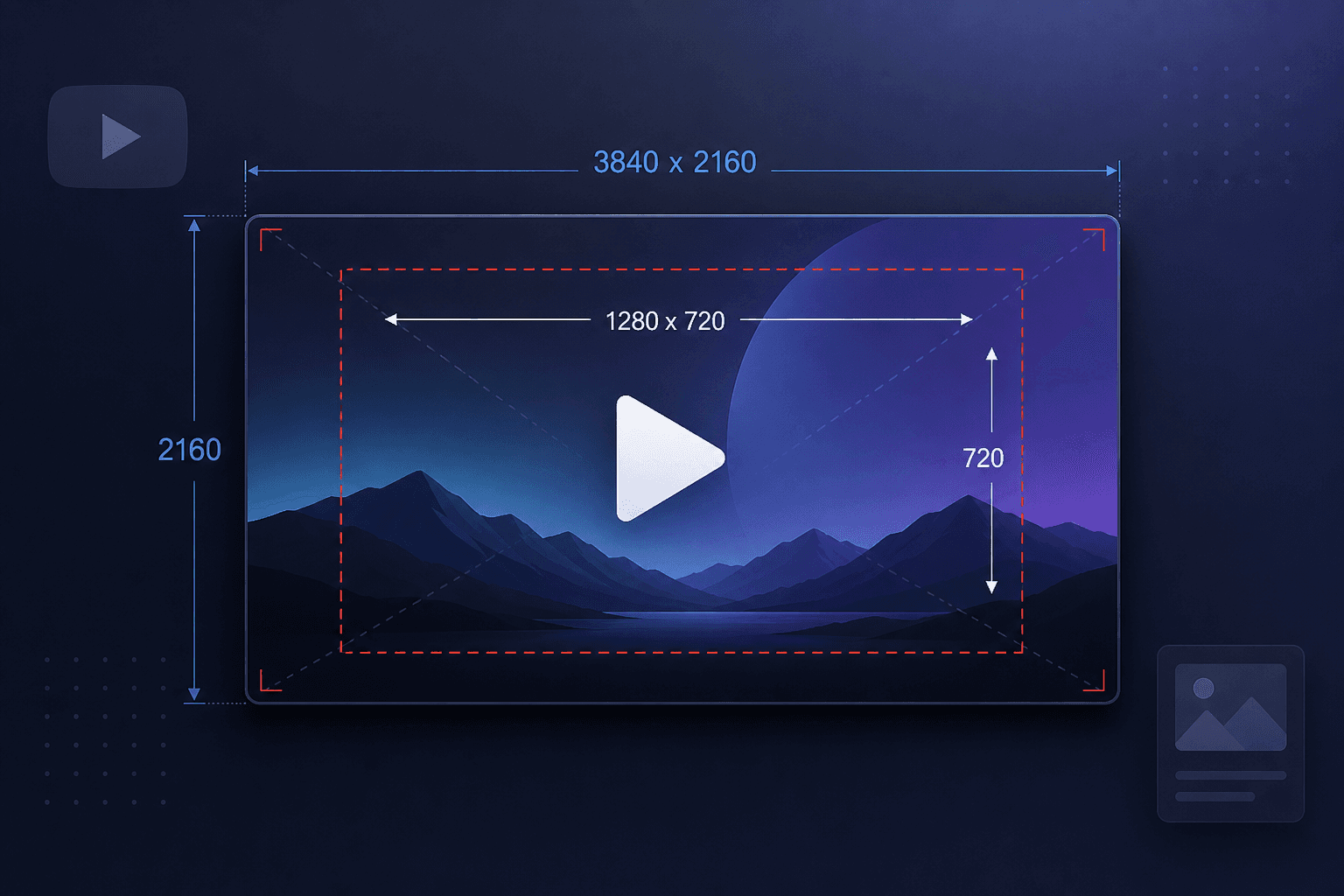
If you search for YouTube thumbnail dimensions, almost every result tells you 1280 × 720 pixels, maximum 2 MB. That was correct for years. It is no longer what YouTube recommends.
YouTube's own help documentation now recommends 3840 × 2160 for standard video thumbnails and 2160 × 3840 for Shorts. The file size ceiling also depends on where you upload from — mobile is still capped at 2 MB, while desktop uploads allow substantially more headroom.
Guides published as recently as mid-2026 still quote the old numbers. Here's the current picture, plus what actually happens to your image after you upload it.
The current specifications
| Spec | Standard video | Shorts |
|---|---|---|
| Recommended resolution | 3840 × 2160 | 2160 × 3840 |
| Aspect ratio | 16:9 | 9:16 |
| Minimum | 640 px wide | 640 px tall |
| Formats | JPG, PNG, GIF | JPG, PNG |
| Mobile upload limit | 2 MB | 2 MB |
Podcast playlists are the exception: they use square artwork rather than 16:9, with a more generous size allowance.
GIF is accepted but only its first frame displays. There's no animated thumbnail.
Custom thumbnails require a verified channel. If the upload option is missing, add a phone number in YouTube Studio settings.
What you upload is not what gets served
This is the part almost nobody explains, and it changes how you should think about the recommendation.
YouTube processes your upload into a fixed set of stored files on its image CDN:
| Stored version | Dimensions | Notes |
|---|---|---|
| maxresdefault | 1280 × 720 | Highest available. Only exists for some videos |
| sddefault | 640 × 480 | 4:3, letterboxed with black bars |
| hqdefault | 480 × 360 | 4:3, letterboxed. Exists for virtually every video |
| mqdefault | 320 × 180 | Clean 16:9 crop |
| default | 120 × 90 | Grid icon |
So uploading at 3840 × 2160 does not produce a 4K thumbnail that viewers receive. The stored HD file remains 1280 × 720.
Why upload larger, then? Because downscaling from a high-resolution master produces a sharper result than uploading at the target size and letting compression work on an already-small image. You're giving the encoder better source material. The output size is fixed; the output quality is not.
This also means no thumbnail downloader can give you a 4K image. If a tool advertises 4K thumbnail downloads, it's upscaling — inventing pixels rather than recovering detail.
The black bar problem
`hqdefault` and `sddefault` are stored in 4:3 frames with the widescreen image letterboxed inside. Those bars are baked into the image file.
If you pull a thumbnail for reference and find yourself cropping black bars off manually, that's why. Use `maxresdefault` or `mqdefault` for a clean 16:9 crop. When `maxresdefault` doesn't exist — common for videos using auto-generated frames, older uploads, and low-view videos — YouTube sometimes returns a grey placeholder rather than an error, which is why some tools hand you a blank rectangle.
Safe zones
Two areas of your thumbnail get covered:
- Bottom right — the video duration overlay sits here on nearly every surface
- Bottom edge generally — progress bars and interface elements on some layouts
Keep critical content, especially text and faces, roughly in the centre. A practical rule is to keep the important material inside a central area of about 1100 × 620 within a 1280 × 720 frame, scaling proportionally if you're working larger.
The 150-pixel test
The single most useful thing you can do before publishing: shrink your finished thumbnail to about 150 pixels wide and look at it.
That's roughly the size it appears in a mobile feed, which is where the majority of YouTube viewing happens. If the text is unreadable, it's unreadable to most of your audience. If the subject isn't identifiable, it isn't identifiable.
Most thumbnails that underperform fail this test. They were designed at full size on a large monitor, where six words of small text look fine.
The corrective is usually the same: fewer words, larger, higher contrast. Three or four words is a reasonable maximum. Some of the highest-performing thumbnails have none.
Design points that hold up
Contrast beats colour theory. Your thumbnail sits in a grid next to a dozen others. Separation from that background matters more than whether your palette is sophisticated.
Faces work, but not automatically. A clear expression that signals what the video delivers works. A neutral headshot doesn't.
Don't repeat the title. The title is already there. Use the thumbnail to say something the title doesn't.
Consistency helps returning viewers, not new ones. A recognisable style helps subscribers spot you in a feed. It does nothing for someone who's never seen your channel — for them, only the individual image matters.
Testing your thumbnails
If your channel is in the YouTube Partner Program you may have access to native thumbnail testing, which serves variants and reports which performs best. Where that isn't available, the manual approach still works: publish, note the click-through rate after a few days, swap the thumbnail, and compare. Traffic sources differ enough that this is rough rather than rigorous, but a large difference will show.
Building a reference set helps too. Pull the thumbnails from the top twenty videos ranking for your target topic and lay them out together. Patterns become obvious within minutes — where faces sit, how much text is typical, which colours dominate. You'll also spot what nobody in your niche is doing, which is usually the more useful finding.
Our thumbnail downloader pulls every stored resolution for any video, which makes assembling that reference set a couple of minutes of work.
Common questions
Can I change a thumbnail after publishing?
Yes, any time, from YouTube Studio. Changing it on an older video that still gets traffic is one of the cheapest wins available.
Why does my thumbnail look blurry?
Usually uploaded below the minimum width, or heavily compressed to squeeze under the file size limit. Try JPG at high quality rather than a compressed PNG.
Can I upload a custom thumbnail for a Short?
Support for this has been rolling out and depends on eligibility. Where it isn't available, YouTube uses a frame from the video, which you select at upload — and can't change afterwards. Choose carefully.
Does the thumbnail affect search ranking?
Not directly. It affects click-through rate, and click-through rate feeds into how YouTube distributes your video. The effect is real but indirect.
What if my thumbnail file is too large?
Convert to JPG and reduce quality slightly. The visible difference is minimal; the file size difference is substantial.