How to Turn One YouTube Video Into a Month of Content
Repurpose one long-form YouTube video into blog posts, Shorts clips, podcast audio, and social posts. A step-by-step workflow that takes under three hours.
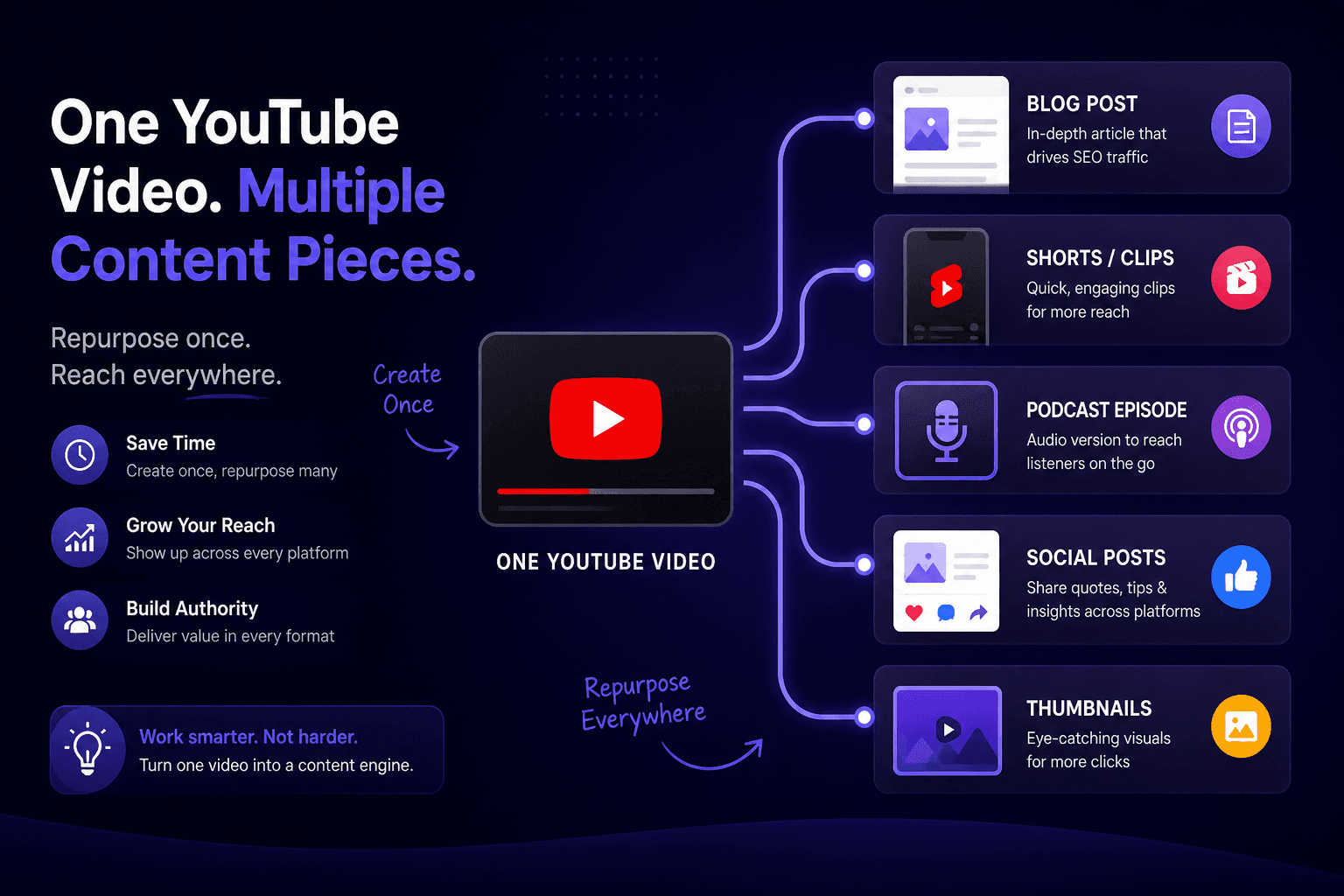
Most creators publish a video and move on to making the next one. The video contains enough raw material for a blog post, several short clips, a newsletter, and a fortnight of social posts — but extracting that material feels like more work than making something new, so it doesn't happen.
It isn't more work, if you do it in the right order. Here's a workflow that turns one long-form video into roughly eight to twelve pieces, most of the effort front-loaded into a single session.
Start with the transcript, not the video
The instinct is to open the editor and start cutting clips. That's backwards, because you don't yet know which moments are worth cutting.
Pull the transcript first. Reading is three to four times faster than watching, and a text version is searchable — so a 40-minute video becomes ten minutes of skimming with a highlighter.
What you're marking as you read:
- Standalone claims. Any sentence that makes sense without the surrounding context. These become social posts and short clips.
- Numbered structure. "There are four reasons..." is a listicle already outlined.
- Questions you answered. Each one is a potential standalone piece, and probably a search query.
- The strongest 30 seconds. Usually not the intro. Often something you said offhand.
Use the transcript extractor with timestamps for this pass — you'll want to jump back to specific moments later, and hunting for them without timecodes wastes the time you just saved.
If the video has automatic captions rather than human ones, expect mangled proper nouns and missing punctuation. Fix the names with find-and-replace before you start reading; everything else you can work around.
The blog post
A transcript is not a blog post. Published raw, it reads badly — spoken English has repetition, false starts, and a looseness that works aloud and doesn't on the page.
What it is, is a complete first draft with the structure and arguments already in place. Rewriting from a transcript is dramatically faster than writing from nothing.
The process:
- Take the transcript and cut it to the structural spine — your main points in order
- Rewrite each section in written English rather than spoken
- Add what the video conveyed visually and the text doesn't
- Add headings that match how people search
- Embed the video near the top
That last point matters. The blog post and the video shouldn't compete; the post captures search traffic that the video can't, and sends some of it to the video.
For an informational video this typically produces 800 to 1,500 words in under an hour.
Short clips
Now go back for the clips, with your marked timestamps.
What works as a standalone short:
- A complete thought in under 60 seconds
- A specific claim, ideally slightly contrarian
- A demonstration or before-and-after
- A direct answer to a common question
What doesn't: anything requiring setup from earlier in the video, or a segment that trails off rather than landing.
Three to five clips from a 30-minute video is realistic. More than that and you're stretching.
Format them properly rather than cropping the centre of a landscape frame. Reframe so the subject sits in the vertical safe area, keep essential content out of the bottom 250 pixels where the interface sits, and burn in captions — most short-form viewing is silent.
Once published, our Shorts downloader gets you a clean file for cross-posting. One warning: if you used a track from YouTube's Shorts audio library, that music is licensed for YouTube only. Reposting to TikTok or Reels with that audio risks a mute or a strike. Use your own audio, or add each platform's native sound in their editor.
Audio
Extract the audio and you have a podcast episode, or at least a listening version for people who'd never sit through a video.
Speech converts at low bitrate without any audible penalty — 64 to 96 kbps is fine, and keeps files small. Our MP3 converter handles this.
Podcast platforms want a proper intro and outro, and the video's visual references need a spoken substitute ("as you can see here" doesn't work in audio). Fifteen minutes of editing for a second distribution channel is a reasonable trade.
Social posts
The transcript's standalone claims are your posts. A 30-minute video usually yields six to ten, which at a few per week covers a fortnight.
Each one:
- The claim, in one or two sentences
- A sentence of context if it needs it
- A link to the video or blog post
Resist the temptation to post all of them at once. Spread them out and vary which piece you link to.
Thumbnails and covers
Before you make anything new, look at what already worked. Pull the thumbnails from the top-ranking videos on your topic with the thumbnail downloader and lay them out together. Patterns become obvious in minutes — how much text is typical, where faces sit, which colours dominate. What nobody in your niche is doing is usually the more useful observation.
Your own thumbnail is also reusable: as the blog post's header image, the podcast episode art, and the link preview for social posts. Consistent visuals across formats make the pieces read as one thing rather than five unrelated posts.
Order of operations
The whole thing, in the sequence that minimises rework:
- Extract the transcript — 2 minutes
- Read and mark it — 15 minutes
- Rewrite the blog post — 45 minutes
- Cut 3–5 clips from marked timestamps — 60 minutes
- Extract audio, top and tail — 15 minutes
- Draft social posts from marked claims — 20 minutes
Under three hours for eight to twelve pieces, most of it derived from work you'd already done.
The reason it goes wrong is doing it in the wrong order. Cutting clips before reading the transcript means opening the timeline without knowing what you're looking for, which is where the hours disappear.
What not to bother with
Don't repurpose weak videos. If the original underperformed, the derivatives will too. Repurpose the ones that worked.
Don't post the same clip everywhere simultaneously. Stagger it. The same audience follows you in several places.
Don't publish a raw transcript as an article. It reads as what it is, and thin auto-generated text isn't rewarded by search engines.
Don't repurpose everything. Some videos are one thing and should stay one thing. A tutorial that only makes sense end to end doesn't produce good clips.
Common questions
How long after publishing should I repurpose?
Wait a week or two so you know whether the video performed. Repurposing a flop wastes the effort.
Does republishing content hurt SEO?
Not when it's genuinely rewritten. A blog post derived from a video is a different work in a different medium. Publishing a raw transcript as an article is the version that causes problems.
What if I don't have a big back catalogue?
Start with your best three videos. Most channels have a handful that outperform everything else, and those are where the returns are.
Can I automate this?
Partly. Extraction and rough cuts can be assisted. The editorial judgement — which 30 seconds actually stands alone — is the part that determines whether any of it works, and that's still yours.